[Home] - [Platform Access] - [Admin] - [DDS Config Manager] - [Bulletin: Bulletin Management and Custom Bulletin Editor] - [User Interface and Available Tools] - [Static Layers] - [Observations] - [Forecast Models] - [Events]
The Forecast menu is the second action button in the Toolbar and provides access to all forecast datasets available in the system.
When the user clicks the button, a window opens displaying filters at the top and the list of layers at the bottom.
The filters available in the Forecast menu are the same used in the Observations menu: Coverage Filter, Hazard Picker, and Search Layer.

¶ Filters
- Coverage Filter allows the user to select layers based on the specific geographical extent. By default, all coverages are selected.
The list of available coverages may vary depending on the user profile.

- Hazard Picker allows the user to display only layers related to one or more hazards. By default, all hazards are selected.
The lists of hazards may vary depending on the user profile.
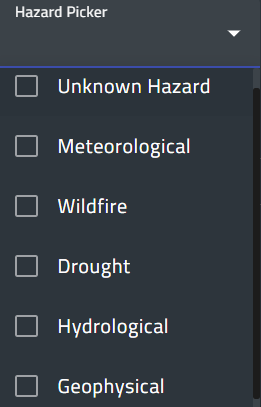
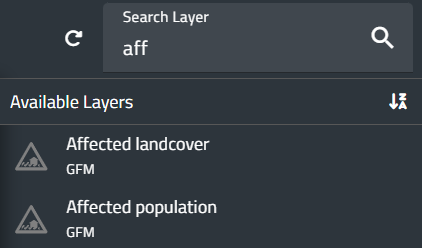
- Search Layer allows the user to search for a layer by typing its name or part of it.
This filter works only within the tags currently selected, not all the available layers.

Layer list
The bottom part of the window displays:
- on the left, the list of selectable tags.
- on the right, the layers associated with each tag.
The table below shows the available forecast layers. However, the list of layers may vary depending on the user profile.
More information about each layer can be accessed by clicking on its name.
| Tag | Layer |
| Hydrology | GLOFAS Reporting Points |
| GLOFAS Seasonal Outlook - Reporting Points | |
| GLOFAS Seasonal Outlook - Basin Overview | |
| GLOFAS | |
| GLOFAS Initial soil moisture anomaly | |
| Global Flood Monitoring System | |
| Guyana Forecasts | |
| Fire | RISICO World |
| FDI World | |
| Weather | GFS 0.25° |
| ECMWF-ENS | |
| Cyclone Tracker | |
| WRF | |
| WRF Belize | |
| Marine | WW3 |

¶ Loaded layers
When a layer is loaded, it is automatically added to both the Control Map and the Layer List (top left corner of the screen).
While the layer is visible on the Map, the Layer List provides additional information and access to specific functions.

¶ Information displayed
For each loaded layer, the system displays:
- Layer name.
- Reference date.
- Initialization time (for model outputs).
- Temporal aggregation (if available).
¶ Layer ordering
To the left of the layer name in the Layer List, an icon with six dots allows the user to drag the layer up or down.
The order of layers in the list determines their display order on the map: the topmost layer in the list appears on top of the map.
¶ Available actions
To the right of the layer name in the Layer List, the following buttons are available:
- Hide layer: temporarily hides the layer without deleting it from the list. Pressing the same button again restores its visibility.
- Remove layer (trash-can icon): removes the layer from the list.
- Layer details (i icon): opens a window displaying metadata and additional information.
- Zoom to Layer: sets the zoom back to the default extent for the selected layer.
- Legend: opens a pop-up window showing the legend associated with the layer.
The available options depend on the characteristics of the selected layer.
The image below shows the legend for the GFS 0.25° layer, as an example.

- Properties: opens a window where users can modify parameters such as variables, cumulative range, spatial aggregation, and reference date.
The available options depend on the characteristics of the selected layer.
Users can modify all parameters of the layer that will be displayed on the map.
The image below shows the properties of the GSMaP layer, as an example:

- Expand: reveals additional button tools:
1. Slider to adjust the transparency of the layer.
2. Metadata to view the metadata file associated with the layer.
3. Download to save the selected layer to the user’s local disk in various formats.
- For certain layers, additonal controls appear below the layer name: Play/Pause, Rewind, and Fast Forward buttons.
These buttons allow navigation through the time series associated with the model output (forward to the next entry or backward to the previous one), if available.
- By left-clicking the layer name, users can reopen the Properties window to edit parameters of the loaded dynamic layer. Depending on the dataset, these parameters may include spatial aggregation, accumulation period (for cumulative variables), time step, threshold values, interpolation algorithm (if the variable is interpolated), and other settings.
[Home] - [Access to the platform] - [User Interface] - [Observations] - [Forecast Models] - [Static Layers] - [Events]